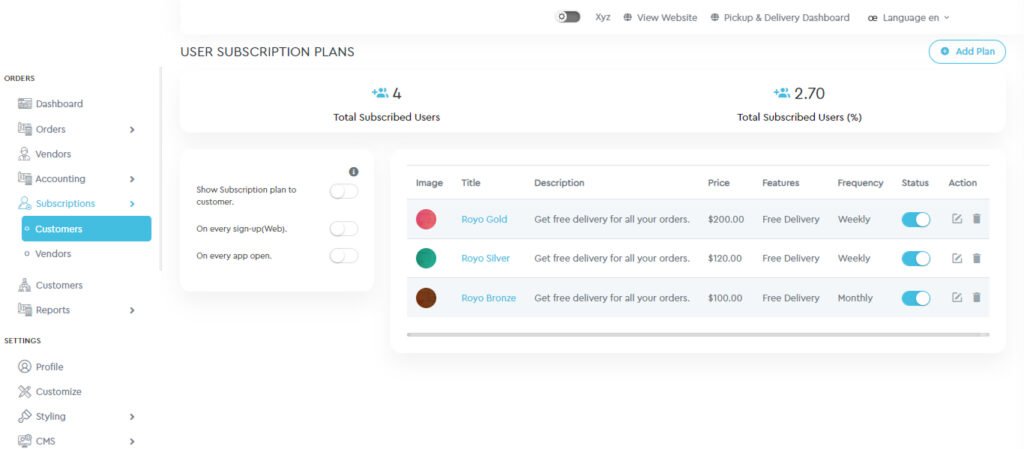
Admin will have the ability to view the list of subscription plans along with the number of subscribed customers and percentage of customers subscribed to total customers.
The list of plans would display information like Image, title, description, price, features, frequency, status, and option to edit/delete the plan.
The admin can also add new subscription plans or can edit/delete any existing subscription plan.
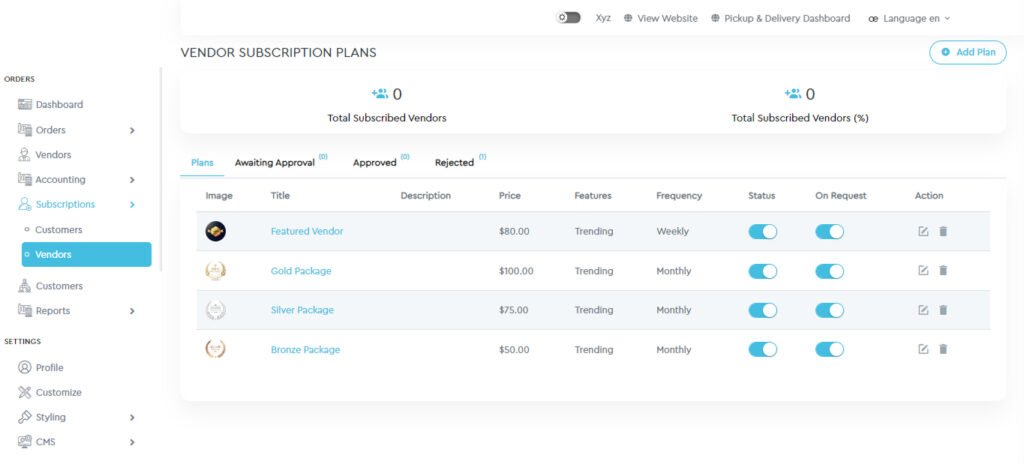
Admin will have the ability to view the list of subscription plans for vendors, along with the number of subscribed vendors and the percentage of vendors subscribed to the total. The list of plans is further divided into awaiting approval, approved and rejected requests by the admin.
The list of plans would display information like Image, title, description, price, features, frequency, status, on request, and option to edit/delete the plan.
Admin can also add new subscription plans or can edit/delete any existing subscription plan.
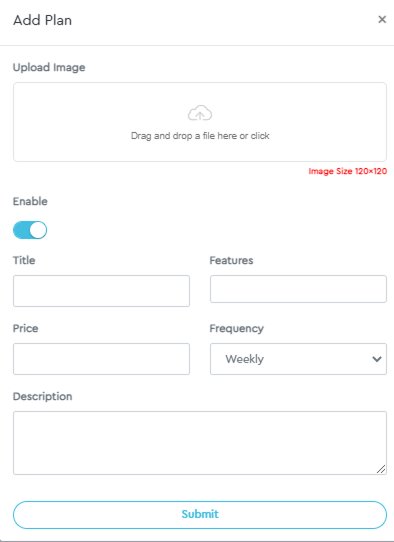
To add a new plan to a Customer/Vendor you just need to select the desired tab and then on the top right corner on both of the pages you will find an ‘Add Plan’ button. On clicking on it, you can create a subscription plan of your wish.